Watching TV, your way.
HudsonTV turns your provider into a gorgeous living-room experience — catch-up & recording, side-by-side multi-view, watch party, a full on-demand library, and a live guide that's a joy to use. One app, every screen.
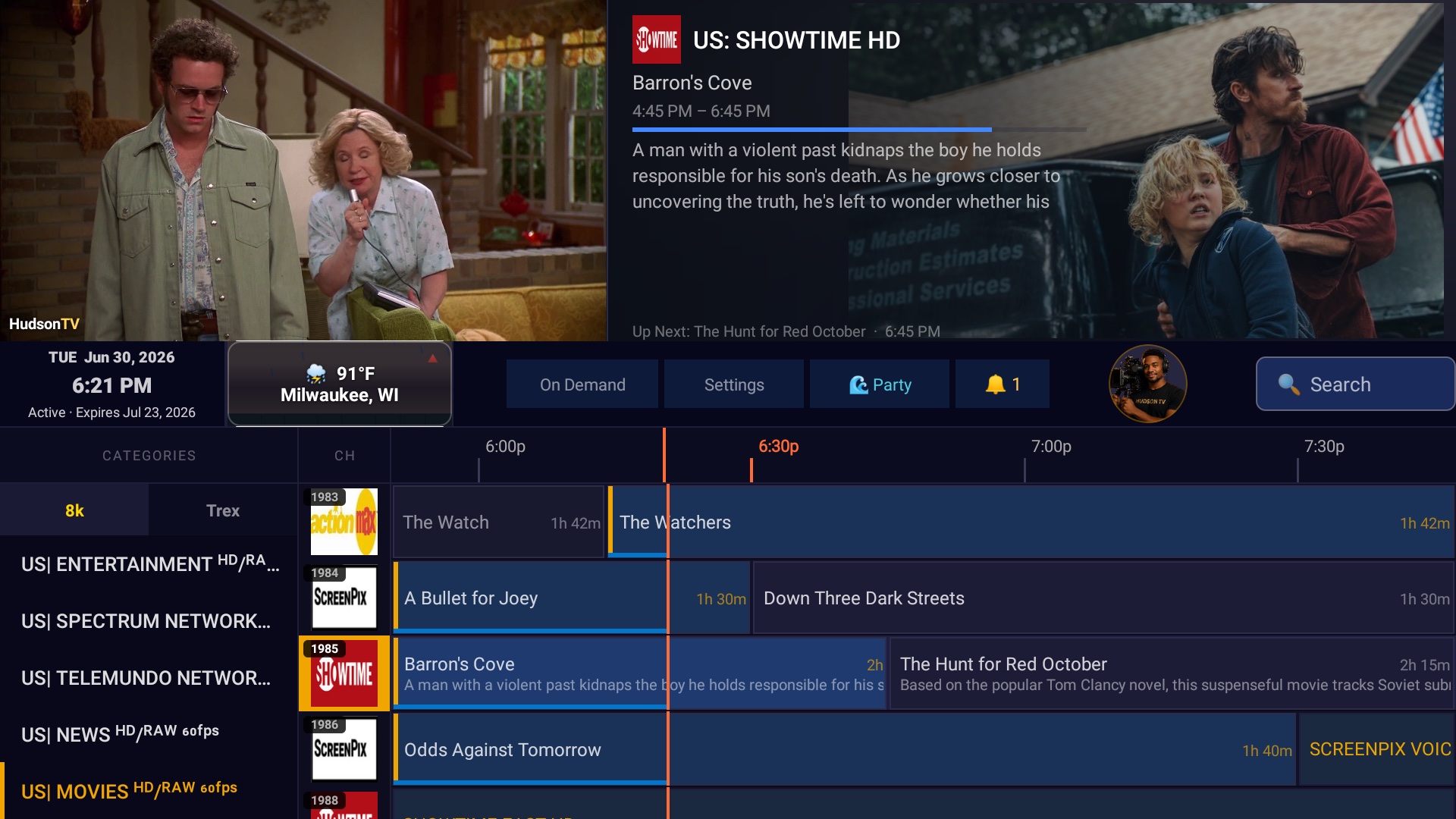
A complete TV experience
Live, on-demand, recording, and watching together — all in a single, fast app made for the remote.
A guide you'll actually enjoy
Open it and your channels are right there — instant from cache, with posters, cast and what's-on-next built right in. Smooth scrolling, browse-ahead, zero waiting.
More details ⌄- Opens instantly from cache — no spinner, no "loading channels"
- Movie & show posters, cast and synopsis right in the guide
- Browse ahead to see what's on later tonight before it airs
Bring your own providers
Add multiple Xtream logins and M3U playlists. Channels from every source merge into one lineup, with automatic failover between them.
More details ⌄- Unlimited Xtream logins and M3U / M3U8 playlist URLs
- All sources merge into one clean, de-duplicated lineup
- If one line drops, playback fails over to another automatically
Catch-up & Watch from Start
Missed the start? Jump back on channels your provider archives, or start the current show over — no rewind button needed.
More details ⌄- Restart the current show from the beginning
- Jump back to earlier programs on archived channels
- Scrub, skip ± and pause caught-up shows like a recording
A real DVR, built in
One press starts a recording — and it even captures up to a minute before you pressed. Save to your TV, a NAS drive, or the cloud.
More details ⌄- One-press record right from the quick menu — pick TV, NAS or Cloud
- Pre-capture rewinds up to a minute so you never miss the start
- Show & movie cover art on every recording, storage caps with auto-cleanup
- Resume where you left off — even on a different TV in the house
Multi-View
Watch two channels side by side — even from two different providers — with audio that follows your focus. Keep up with two shows at once.
More details ⌄- Two live channels at once, side by side
- Audio follows the tile you're focused on; the other stays muted
- Long-press to pop one fullscreen, then drop it back to a corner
Watch Party
Press play together with friends across the country. Synced playback and live chat, right on the big screen.
More details ⌄- Synced playback — everyone stays on the same moment
- Live chat and reactions right on the TV
- Works for live channels and on-demand titles alike
On Demand, done right
Thousands of movies & series with auto-playing trailers, full synopses, and tap-an-actor to see their other titles your provider carries.
More details ⌄- Auto-playing trailers on every movie and series page
- Full synopsis, rating, director and cast
- Tap any actor to see their other titles your provider carries
Smart scheduling
Search a show once and it records on any channel that airs it. Quick Schedules follow whole categories — wrestling, local news by ZIP, local sports — with one tap.
More details ⌄- Season pass: search a show, follow it, and it records wherever it airs
- Quick Schedules — one-tap packs for wrestling, nightly news (found by your ZIP) and local sports
- Schedule a recording on another TV in your household, right from your couch
- Reminders with optional auto-switch the moment a show starts
Profiles that travel
Multiple household profiles with favorites and Continue Watching that roam with you between TVs and homes.
More details ⌄- A separate profile per person, each with its own favorites
- Continue Watching roams between your TVs and other homes
- Pick up right where you left off on any screen
Made for the living room first
Optimized for the remote and the big screen — fast cold starts, fit-to-screen calibration, and launch-on-boot.
Bring HudsonTV to your TV tonight.
Install free on your Fire TV or Android TV, sign in with your provider, and start watching in minutes. Unlock every feature once for $35 — no subscription.
APK v10.5.46 · ~50 MB · Fire TV & Android TV · sideload install
HudsonTV is a player only — it does not include, sell, or stream any TV channels or media. You bring your own lawfully obtained M3U or Xtream provider.